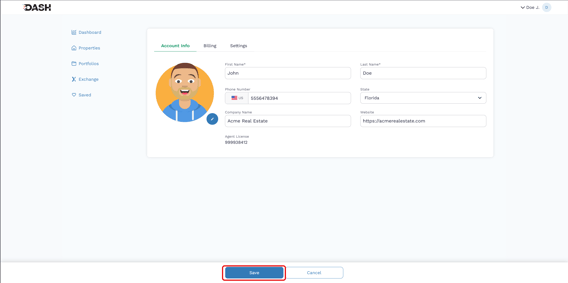
DASH lets you customize your agent profile so clients immediately know who you are and how to contact you when they like a property you share (For PRO-level plans and above).
Paired with DASH’s unbranded content, a strong profile keeps the focus on the property while making it easy for clients to reach you.
Access the Profile Page
-
From the DASH Agent Dashboard, click on your name at the top-right corner of the screen.
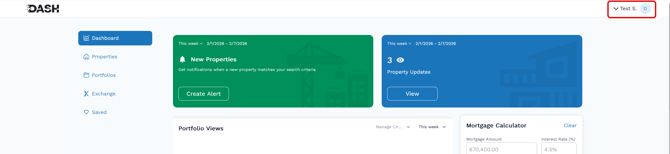
- Select Account Info to access the profile editor.

Uploading Your Profile Image
- Follow the instructions above to Access the Profile Page.
- Click the Edit Icon to add or edit your account photo.
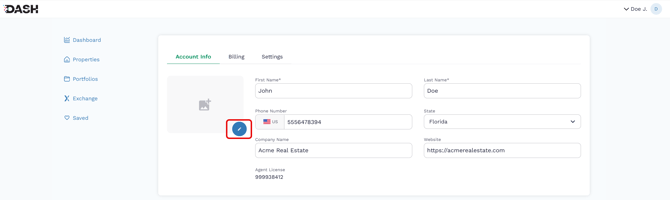
- Select a photo on your phone or computer using the file selector.
- Crop the image to fit in the provided space.
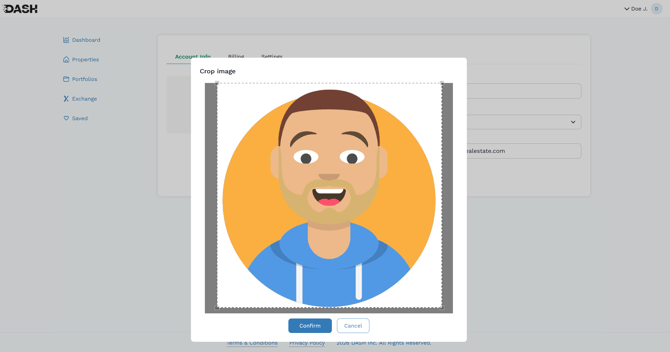
- Click Confirm to save your changes.
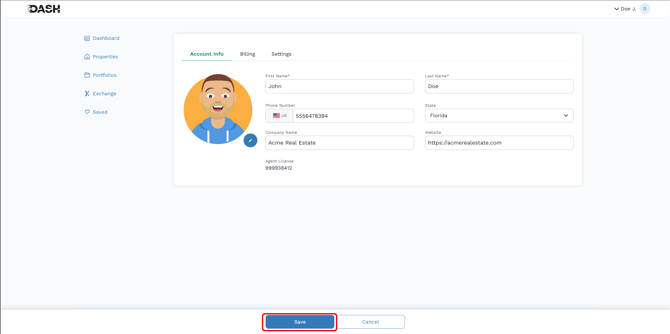
- Click Save at the bottom of the screen.
Adding YOUR Contact Information
-
Follow the instructions above to Access the Profile Page.
-
Add your phone number, agency name, and website in the appropriate fields.
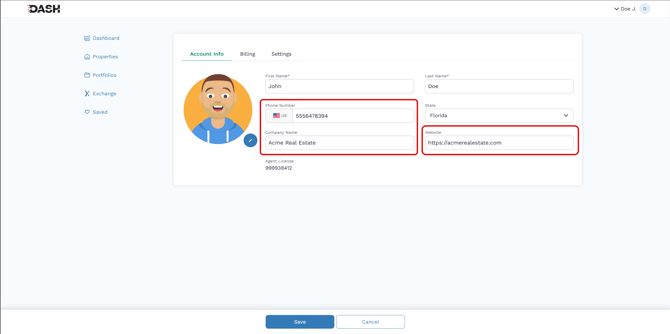
Save your changes by clicking "Save" at the bottom of the page.